Start
Start with a live gradient and ready-to-copy code
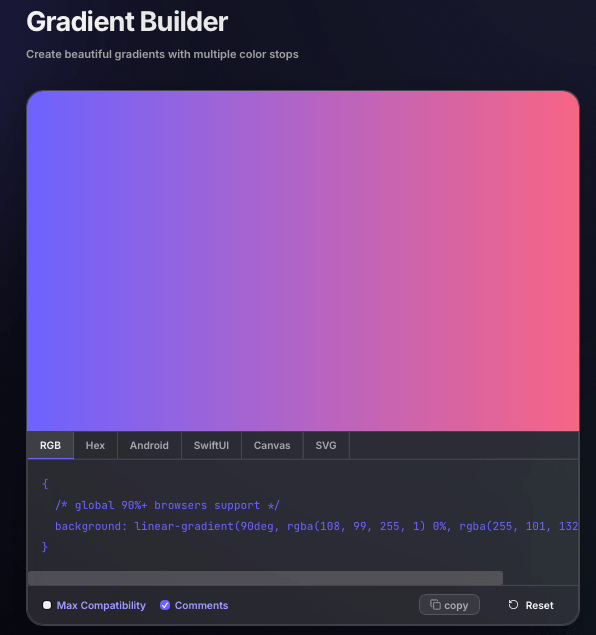
The default view puts the gradient preview and code output in the same workspace, so you can begin with a usable result and then refine the stops, colors, and direction only as much as needed.

Build smooth linear, radial, and conic gradients with a live visual editor. Add multiple colors, drag stops into place, fine-tune direction, preview every change instantly, and copy ready-to-use CSS when the gradient feels right. Free to use, no login required.
A gradient maker is a visual tool for blending two or more colors across a background or design. Free Color Tool lets you create linear, radial, and conic gradients, control color stops and direction, preview the result live, and copy the generated CSS without writing the gradient syntax by hand.
Switch between three gradient styles without rebuilding your colors. Use the linear gradient generator mode for directional backgrounds, radial mode for center-focused depth, or conic mode for circular transitions and more experimental effects.
Start with two colors or build something richer. Click the gradient bar to add new stops, drag each stop into position, and edit colors inline until the transition feels balanced. This makes the tool useful as a flexible color gradient generator rather than a fixed two-color preset.
Drag the angle dial or enter a degree value directly, then watch the preview update as you work. As a CSS gradient generator, the tool turns your visual settings into a complete background declaration you can copy into your project without rebuilding the syntax manually.
background: linear-gradient(…)Use the tool as a gradient background generator when a flat color feels too static. Build soft blends for hero sections, bolder transitions for banners, subtle depth for cards, or compact gradients for buttons and badges.
These real product screenshots show the full gradient workflow: start from the live preview, shape the stops, switch gradient modes, fine-tune direction, and move into CSS or SVG-oriented output.
The default view puts the gradient preview and code output in the same workspace, so you can begin with a usable result and then refine the stops, colors, and direction only as much as needed.
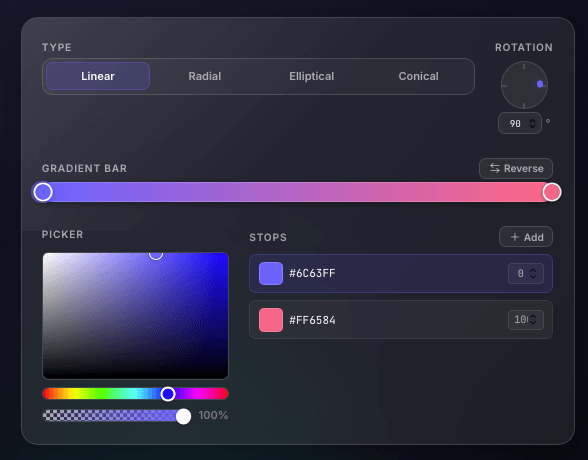
In linear mode the editor exposes the stop bar, reverse action, picker, and rotation dial, making it easy to tweak both the color sequence and the angle from a single workspace.
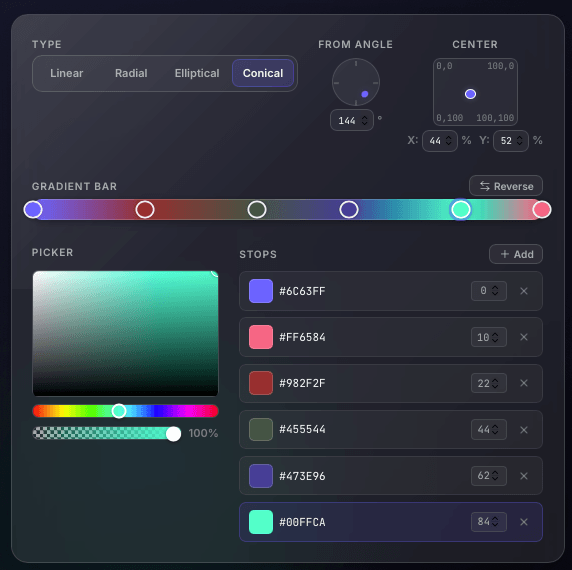
The conic editor adds center controls and richer stop placement, which is ideal for circular gradients, radial-inspired bursts, and more experimental color transitions.
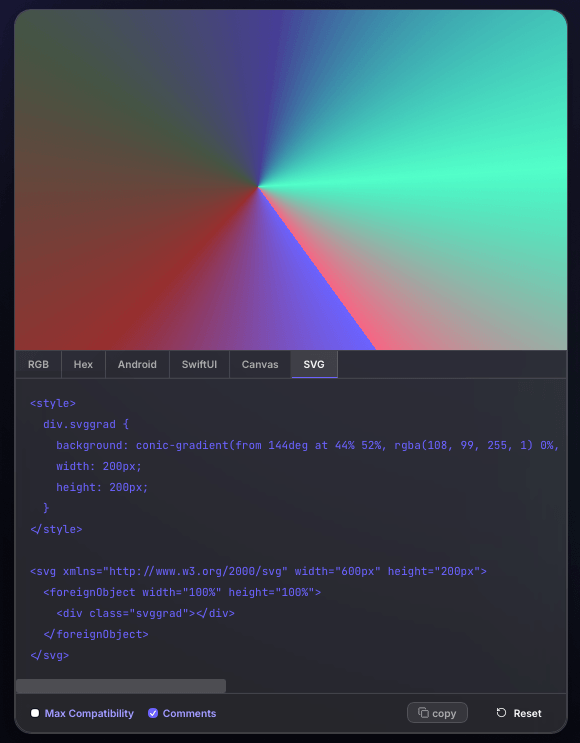
Beyond CSS, the export panel can show SVG-oriented output, which helps users move the same gradient into portable markup for broader design and frontend workflows.
The page is built for both designers and front-end workflows: create the gradient visually first, then hand off the exact result as CSS. That keeps the creative process fast without forcing developers to recreate angles, stops, and color values by hand.
Quick answers about making color gradients, choosing gradient types, adding stops, building backgrounds, and copying CSS for real web projects.
Choose a gradient type, select your colors, add or move color stops, and adjust the direction or center controls. Preview the result live, then copy the generated CSS when it looks right.
Yes. The gradient maker supports linear, radial, and conic modes, so you can build directional blends, center-focused backgrounds, or circular color transitions in one editor.
Yes. Add multiple color stops, drag them to new positions, change each stop color, or remove stops you no longer need. This works well for both subtle two-color blends and more complex multi-color gradients.
Yes. The editor generates ready-to-copy CSS for the gradient type and stop positions you create, including the angle where the selected gradient type uses one.
Yes. The generated gradients can be used for hero sections, page backgrounds, cards, buttons, banners, and other interface elements where a CSS background gradient is appropriate.
The product screenshots show an SVG-oriented output view in addition to CSS-focused output, which can help when the same gradient needs to move into vector-oriented workflows.
Choose a mode, shape the stops, preview the result, and copy the CSS when it is ready.
Make a Gradient